Open Event Panels
- 01
Select Event Panels
Use the persistent control in the product.
- 02
Choose a source
Select a stream and review its name and filters.
- 03
Choose a destination
Add it to the main window or open a separate window.
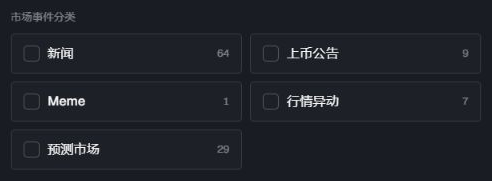
Choose a source, then open it in the main window or a separate panel.
Available sources
| Source | Typical content |
|---|---|
| News categories | A separate live feed for the selected news, listing, meme, market-event, or prediction category |
| Strategy | All strategies or the hit stream for a subscribed or owned strategy |
| Twitter monitoring | Posts and account-change events from a trending or custom group |
Panel actions
News and strategy panels in the main workspace and separate windows include search. Select the current pair in the header to query that market. Search changes the panel view without changing saved strategies or Feed settings.
| Action | Result |
|---|---|
| Clear and apply | Removes the selected panel scope and closes separate windows opened from the trading page |
| Add to main window | Places the selected streams inside the current workspace |
| Open separate window | Combines the selected news and strategies into one trading window and the selected Twitter groups into one Twitter window; repeat the action to open additional windows |
Layout controls
Drag or resize only after checking the panel title.
Use lock when the layout should remain fixed.
Close unused panels to reduce visual noise.
A pop-out window must stay open to keep showing its stream.
Use a panel as Agent context
Select the intended panel, open AI, and confirm the panel name in the context chips. If the wrong stream is attached, remove it and select the panel again.
Confirm the result
The panel title matches the selected source.
New events appear in the intended window.
Filters match the selected market, strategy, account, or address.
The Agent context names the same panel when AI is used.